
Postback & S2S Tracking Setup Guide

Introduction
Postback and server-to-server tracking are core technologies in affiliate marketing, media buying, lead generation, iGaming, SaaS referrals, and performance partnerships. They connect a paid click or partner referral with a later conversion event without relying only on browser scripts.
A correct S2S tracking setup protects attribution accuracy, commission logic, reporting, and payout reconciliation. If the click ID is lost, the wrong macro is used, or the postback fires with invalid data, conversions disappear from reports or are credited to the wrong source. For affiliate teams that need reliable attribution beyond basic pixels, an affiliate platform with postback tracking capabilities can help connect clicks, conversion events, commission rules, partner dashboards, and payout reconciliation inside one controlled workflow.
What Is Postback and S2S Tracking?
Postback tracking is a conversion tracking method where an advertiser, offer owner, or backend system sends conversion data to a tracking platform through a dedicated postback URL. The request usually contains a click ID, event type, payout, currency, status, and transaction reference.
Server-to-server tracking means that the conversion is reported from one backend system to another. The user’s browser does not need to load a tracking pixel at the conversion stage. This improves reliability when cookies are blocked, JavaScript fails, or the conversion happens inside an app, CRM, payment system, or backend workflow.
Key terms include:
- postback URL: the endpoint that receives conversion data;
- click ID or transaction ID: the identifier that links the click to the conversion;
- event: registration, sale, FTD, deposit, subscription, renewal, refund, or chargeback;
- macro: a dynamic placeholder replaced with real data;
- payout: affiliate commission or cost per conversion;
- status: approved, pending, rejected, or reversed.
The main rule is simple: the same identifier generated at the click must return in the postback request. Without that match, the tracking platform cannot connect the conversion to the affiliate, campaign, ad, keyword, source, or sub-ID.
How S2S Tracking Works Step by Step
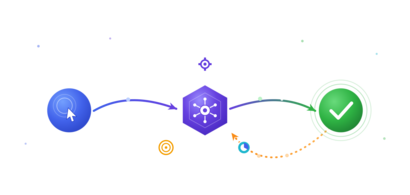
S2S tracking starts when a user clicks a tracking link. The tracking platform generates a unique click ID and appends it to the advertiser URL. The advertiser must capture that value and store it with the user session, lead record, order, account, or deposit.
When the conversion happens, the advertiser server calls the postback URL and passes the stored identifier back to the tracking platform. The platform validates the identifier, records the event, updates reports, and triggers commission logic.
Typical workflow:
- User clicks an affiliate or campaign link.
- Tracking platform creates a click ID.
- Click ID is passed in the landing page URL.
- Advertiser captures and stores the ID.
- User completes a conversion event.
- Advertiser server sends a postback request.
- Tracking platform validates the request.
- Reports, payouts, and partner dashboards update.
Every step needs QA. Redirect changes, landing page forms, CRM imports, payment callbacks, and mobile deep links can break ID storage. The safest setup stores the identifier in the backend, not only in a browser cookie.
Required Parameters and URL Structure
A working postback URL depends on parameter mapping. The tracking platform and advertiser must agree which field carries the click ID, which field describes the event, and which fields control payout, revenue, currency, order ID, status, and security.
Macro syntax changes by platform. One tool can use {click_id}, another can use {transaction_id}, {aff_sub}, {cid}, or {externalid}. The setup document must list every macro, field name, accepted value, and example request.
Postback Setup Process for Advertisers and Affiliates
Advertisers, networks, and affiliates should configure postbacks as a joint integration, not as a copy-paste task. The tracking platform provides the postback template. The advertiser maps backend fields to postback parameters. The affiliate or network validates attribution and payout output.
Start with event definitions. A registration, qualified lead, first-time deposit, paid order, renewal, refund, and chargeback require different timing, status, and payout logic. If all events are sent as “conversion,” reporting becomes too shallow for optimization.
Setup checklist:
- define conversion events and approval rules;
- add click ID macro to tracking links;
- capture click ID on the landing page or app entry point;
- store the ID in the backend record;
- create the postback URL with mapped parameters;
- add security token or signed request logic;
- test with a real tracking click;
- compare reports, payouts, status, and source data.
In lead generation programs, lead distribution software with conversion tracking can make this handoff easier by combining lead validation, routing logic, duplicate control, delivery reporting, and postback-based performance measurement.
For affiliate programs, the click ID should travel from traffic source to network, then to advertiser, then back through the postback. Every handoff must preserve the identifier exactly. Encoding, truncation, uppercase changes, or overwritten sub-ID fields can break attribution.
Testing, Validation, and Troubleshooting
No postback integration should go live without testing. A single wrong parameter name can erase all conversions from reporting. A wrong payout macro can create commission debt. A duplicated order ID can reject valid events or approve the same event twice.
Testing must cover both successful and failed scenarios. Teams should inspect redirect URLs, backend storage, postback requests, server response codes, conversion logs, payout values, event statuses, and partner-facing reports.
Common errors include:
- missing click ID;
- wrong macro or parameter name;
- malformed URL or broken encoding;
- postback fired before ID storage;
- duplicate order ID;
- invalid security token;
- wrong payout or currency;
- HTTP 400, 401, 403, 404, or 500 response;
- conversion attached to the wrong campaign;
- delayed event processing.
Validation flow:
- Generate a test click from the tracking platform.
- Confirm the click ID appears in the destination URL.
- Confirm the advertiser stores the ID.
- Trigger a test conversion.
- Check server logs and response code.
- Confirm conversion appears in reports.
- Compare event name, payout, status, campaign, and sub-ID.
Troubleshooting should use logs instead of assumptions. The fastest path is to compare the expected postback request with the request actually received by the tracking platform.
Security, Fraud Prevention, and Compliance
Postback endpoints need protection. If anyone can call the endpoint with a click ID and payout value, the system is exposed to fake conversions, replayed requests, payout manipulation, and report pollution.
Security starts with request validation. The platform should validate click IDs, tokens, signatures, timestamps, source IPs, event names, duplicate order IDs, and allowed payout values. Failed requests should be logged with enough detail for investigation.
Security controls include:
- HTTPS-only delivery;
- secret token or API key;
- signed requests;
- IP allowlisting;
- timestamp validation;
- duplicate order ID checks;
- click ID validation;
- rate limiting;
- event status validation;
- audit logs.
Compliance also matters. Postback URLs should not carry unnecessary personally identifiable information. Names, emails, phone numbers, and addresses should stay out of query strings unless a documented legal and technical requirement exists. Consent records, privacy rules, data retention, and access permissions should be reviewed before launch.
Reporting, Optimization, and Best Practices
Accurate server-to-server conversion tracking improves optimization speed. Media buyers use event data to pause weak sources, increase bids on profitable placements, and detect traffic quality issues. Affiliate managers use it to validate partner performance and reconcile commissions.
Reporting should show clicks, conversions, conversion rate, payout, revenue, source, sub-ID, status, duplicate rate, approval rate, failed postbacks, and delayed events. Finance teams also need balance history, adjustments, chargebacks, and exportable records.
Best practices:
- store click IDs in the backend;
- use separate events for registration, sale, FTD, renewal, refund, and chargeback;
- document every macro and parameter;
- keep postback URLs under version control;
- monitor failed requests daily;
- validate payout and currency values;
- avoid sending PII in URLs;
- keep fallback logs for reconciliation;
- test changes before every campaign launch.
Postback tracking is not a one-time setup. Offers change, landing pages change, CRM logic changes, payment providers change, and affiliate networks update macros. A reliable program treats tracking QA as part of every release.
Conclusion
Postback tracking and S2S tracking give affiliate and performance teams a reliable way to attribute conversions through backend communication. The setup depends on a stable identifier, correct macro mapping, secure postback delivery, and careful testing.
The technical process is clear: generate a click ID, pass it to the advertiser, store it in the backend, send it back after conversion, validate the response, and monitor errors. Most tracking failures come from weak documentation, untested redirects, missing IDs, or incorrect parameter names.
Advertisers, affiliates, developers, finance teams, and compliance owners should agree on event definitions, payout rules, data fields, security controls, and reporting outputs before launch. This prevents disputes and protects conversion data quality.
FAQ
This FAQ summarizes the main questions about affiliate postback tracking and S2S setup. The answers focus on implementation accuracy, data flow, and operational control.
Before launch, teams should document tracking links, accepted macros, event names, payout rules, security tokens, testing steps, and owner responsibilities.
1. What is a postback URL?
A postback URL is an endpoint that receives conversion data from an advertiser’s server and sends it to a tracking platform, affiliate network, or partner system.
2. What is S2S tracking?
S2S tracking is server-to-server conversion tracking. It records conversions through backend requests instead of relying only on browser pixels or JavaScript.
3. Why is click ID important?
The click ID links the original click to the later conversion. Without it, the platform cannot attribute the event to the correct affiliate, campaign, or source.
4. Is S2S tracking better than pixel tracking?
S2S tracking is stronger for backend events, app flows, privacy-restricted browsers, and high-value affiliate programs. Pixel tracking is easier for simple browser-based events.
5. How do you test a postback?
Create a test click, capture the click ID, trigger a test conversion, inspect server logs, check the response code, and confirm that the event appears correctly in reports.
Become a champion with irev
[Only 14 slots left this month]


Irev puts your partner program on the fast track to real growth


 SIGMA Award Winner
Best marketing solution provider
SIGMA Award Winner
Best marketing solution provider